
Leverage Threat Intel Reports
Threat intelligence is an excellent starting point for threat hunting. Nebulock provides two methods for using threat intelligence to enable hunting:
- A Nebulock provided open source feed of threat intelligence articles
- An ability to upload a threat intelligence PDF
Using the Nebulock Curated Feed
The Nebulock feed focuses on the MITRE tactics of of Credential Access, Lateral Movement, and Privilege Escalation. These reports are tagged by MITRE tactic, operating system, and severity. You can filter by tag or search by keyword to find threat reports of interest to you.
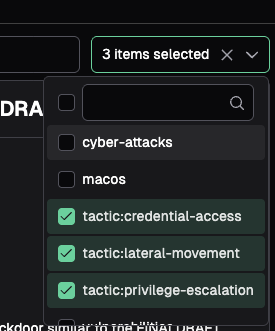
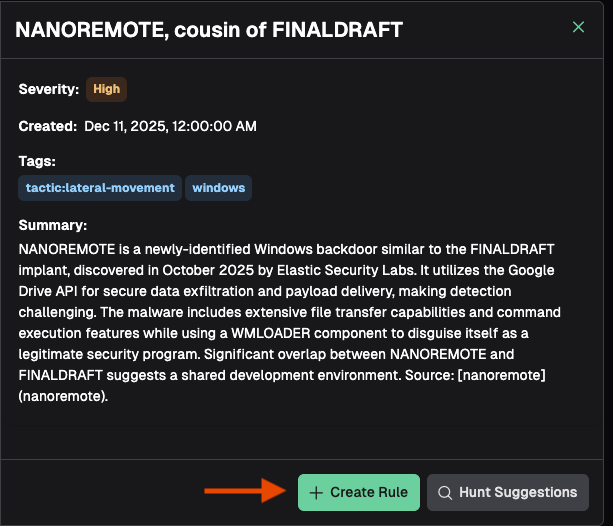
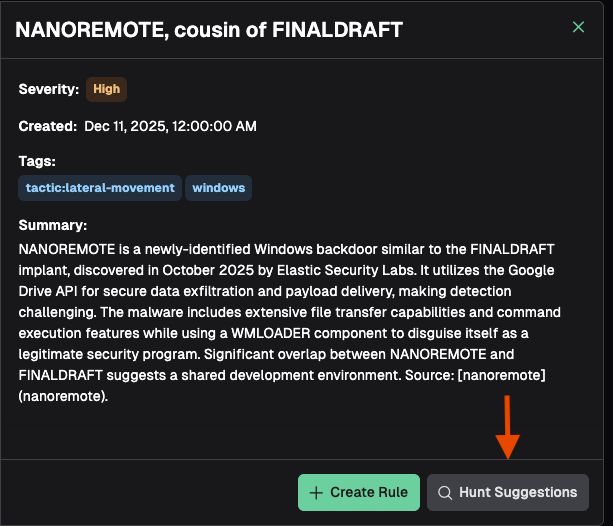
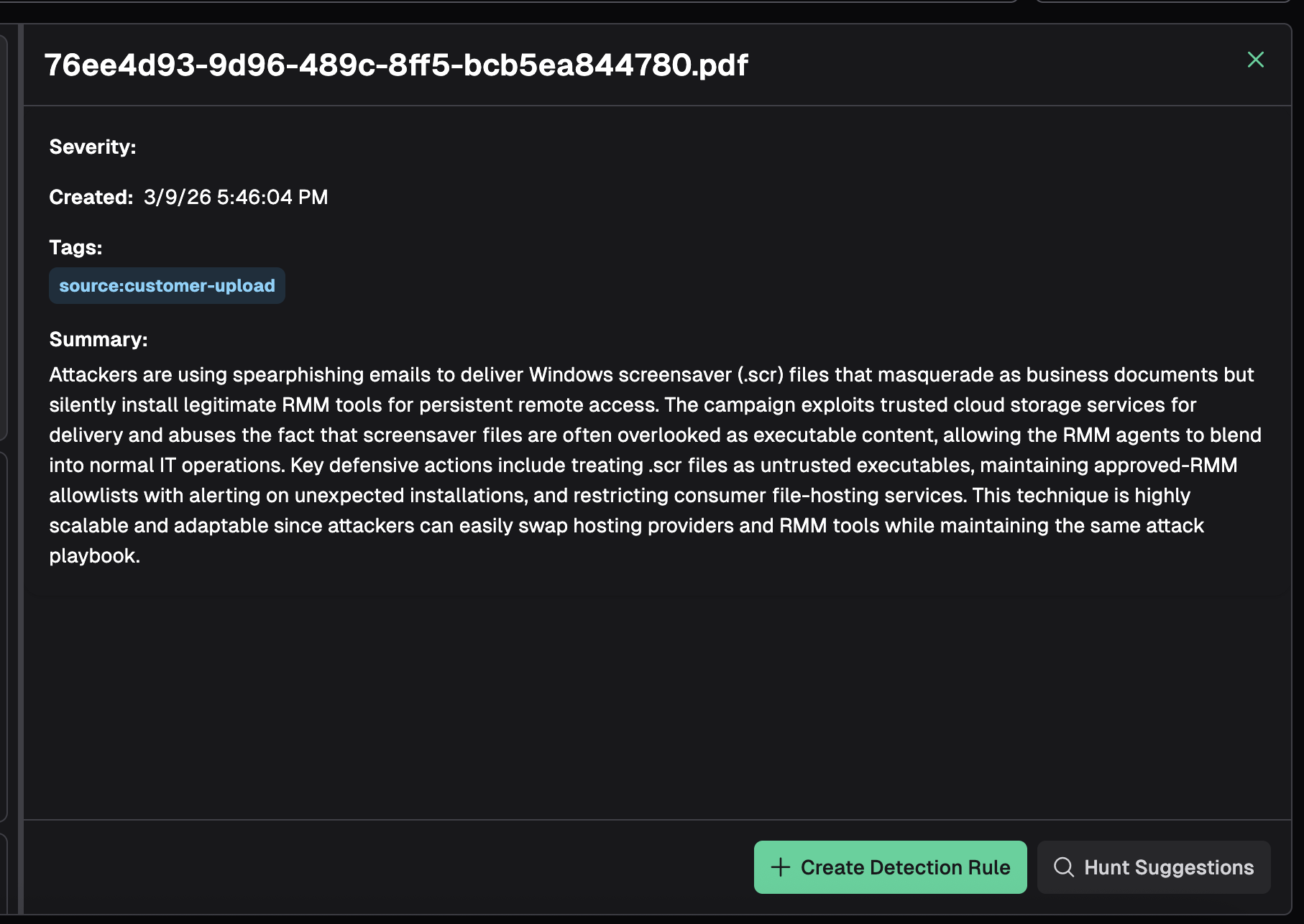
Once you’ve identified a piece of relevant threat intelligence, view a quick summary of the report. You now have the option to use this threat intelligence to create a Detection Rule or start a Vibe Hunt.
Clicking Create Rule opens a dialogue box. Ensure you select the proper log source, and provide any extra context for the rule agent in the text box. Clicking Start Rule Generation will prompt the rule agent with the threat intelligence article and the context you entered into the text box. Proceed with the rule creation process as outlined in Write Your First Detection Rule.
Clicking Hunt Suggestions will kick off an agentic workflow to generate three hunt suggestions based on the threat intelligence article. Once complete, the hunt suggestions will be presented and you can click on the one that is the most relevant. Doing so will launch you into the vibe hunt workflow as described in **Vibe Hunting **.
Upload a Threat Report PDF
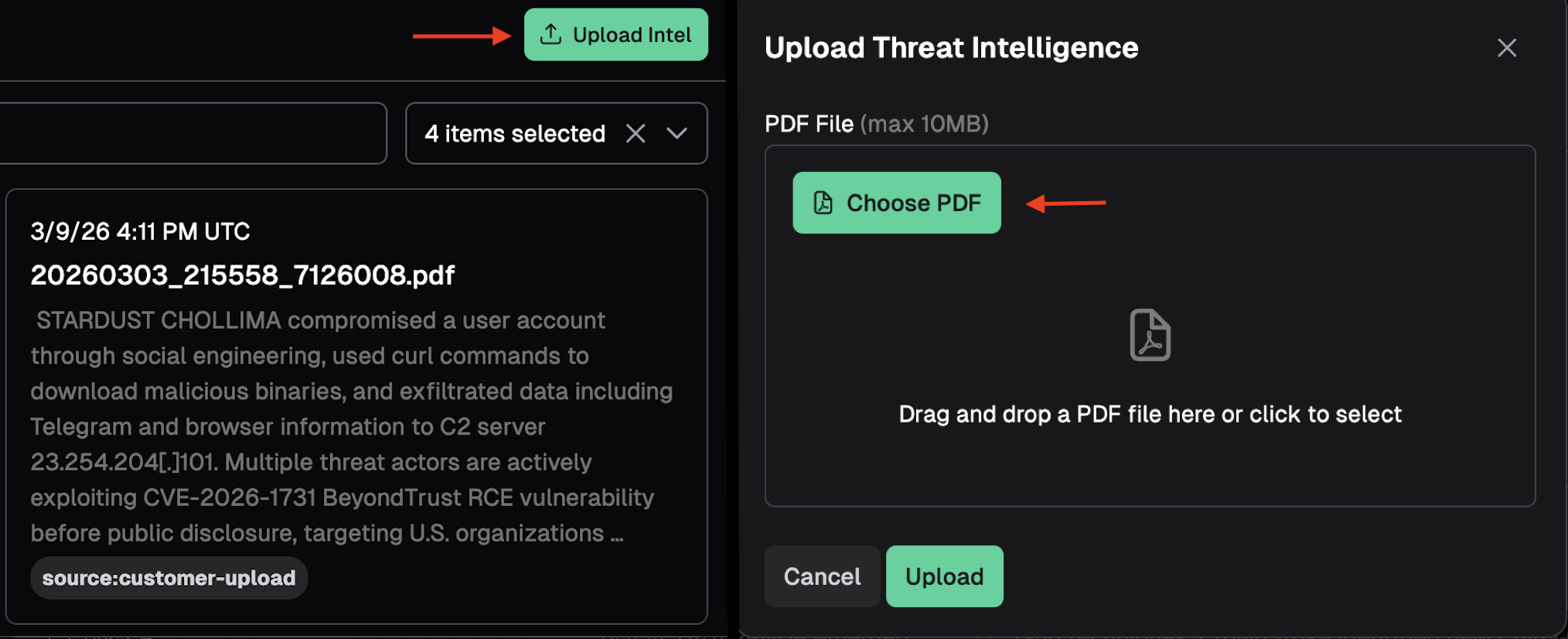
At the top right of the Threat Intel page, click "Upload Intel", and in the the pop-up window you can click to open an Explorer window and choose a file, or you can drag and drop a PDF into the window. Once selected, click "Upload" to begin processing the report.
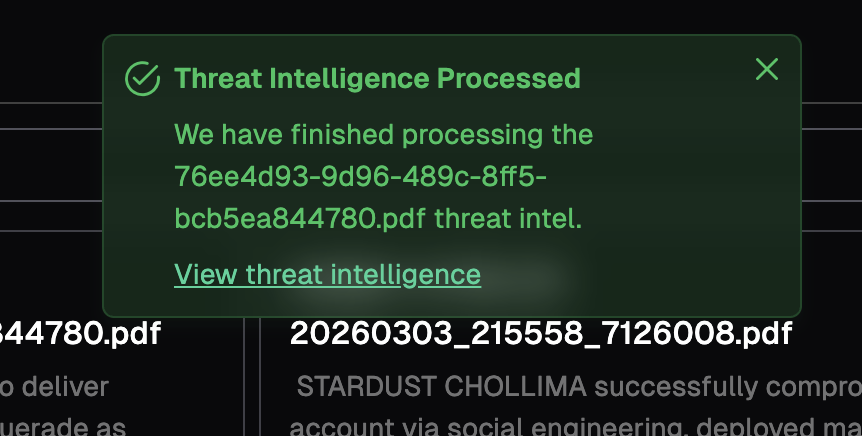
Once the report is finished, you will see another pop-up to indicate the report has been processed. Click the link in that window to view the uploaded intelligence.
You can now proceed to create a detection, or generate hunt suggestions, as indicated in the steps above.
Updated 7 months ago