
Run Your First Retrohunt
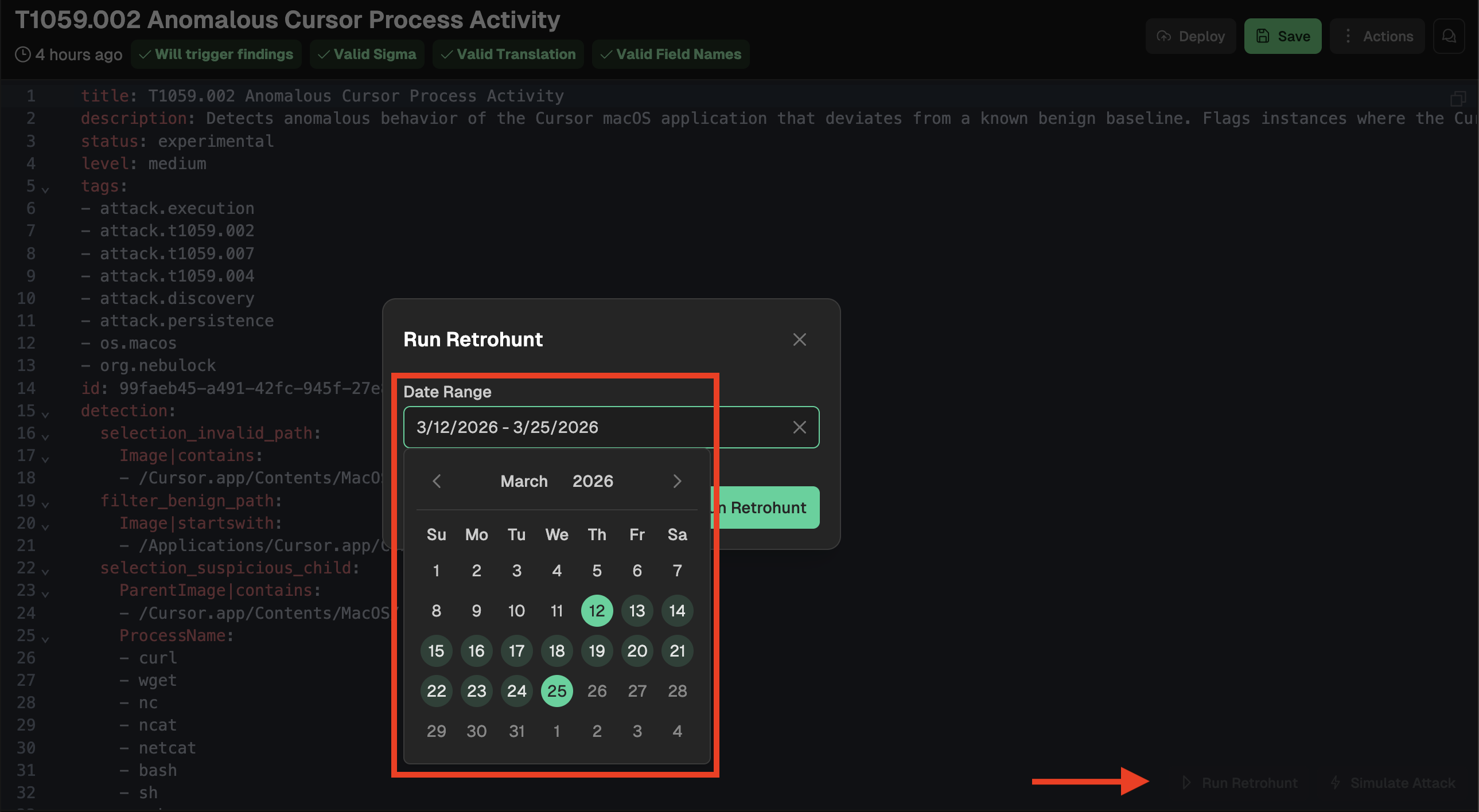
From Detection Rules, you can select Retrohunt to do a historical search in your data using the rule logic. Clicking this action will pop up a date picker window for selecting your time frame: the max window for a Retrohunt is two weeks. NOTE: You can select any two week time period as far back as your data goes in Nebulock (not just the most recent two weeks). For faster Retrohunt processing, select a smaller time window or a period of time where you know the activity exists.
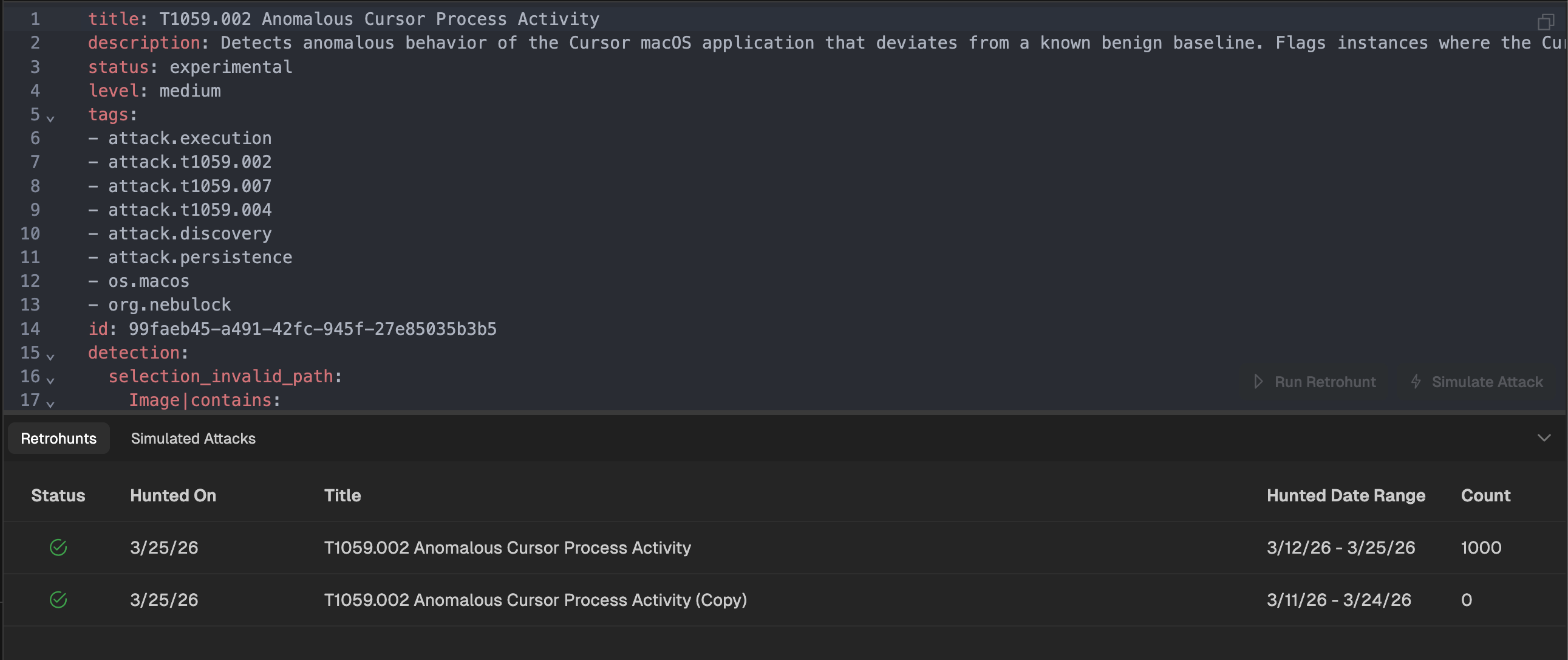
While the Retrohunt is running, you can navigate to other parts of the platform. When the Retrohunt is complete, you can return to the specific detection rule page and select Retrohunts from the bottom panel to view all executed Retrohunts for this rule. NOTE: Retrohunts will return a maximum of 1,000 results. When you see 1,000 it means the retrohunt hit its max results. This typically indicates a rule is too broad and needs refinement._
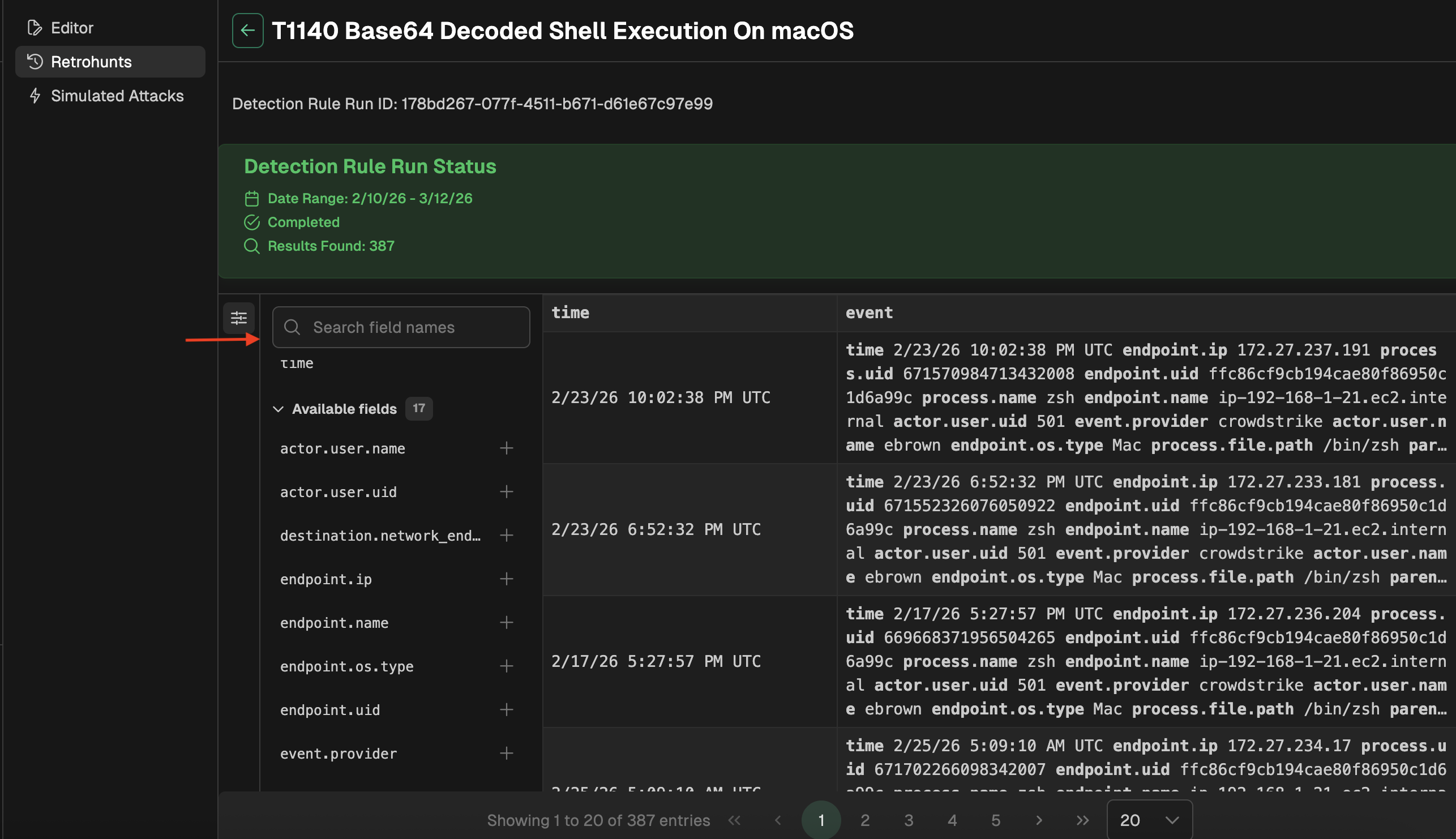
Results are displayed in a tabular format, with the ability to customize which columns are displayed. You can search through all available fields in the returned events and choose which to display as columns in the table.
Updated 6 months ago