
Jamf
In this document we will go through the process of adding a JAMF integration in the Nebulock Platform.
Step 1: Obtain the Dedicated resources from Nebulock:
Reach out to your dedicated Nebulock Support or Customer Success representative to set up a dedicated S3 path, Role ARN, SQS Queue URL and IAM Role.
- Must provide the external ID that JAMF defaults to in the Administrative → Data → Amazon S3
Step 2: Set Up Telemetry in JAMF
In the Jamf Protect console, navigate to Telemetry. If a Telemetry Configuration does not exist yet, select + Create Telemetry.
Requirements: Jamf Protect ‘Telemetry’ must be configured within Jamf Protect’s Plans, Actions, and Telemetry before Nebulock can collect Endpoint Security logs via Jamf Protect.
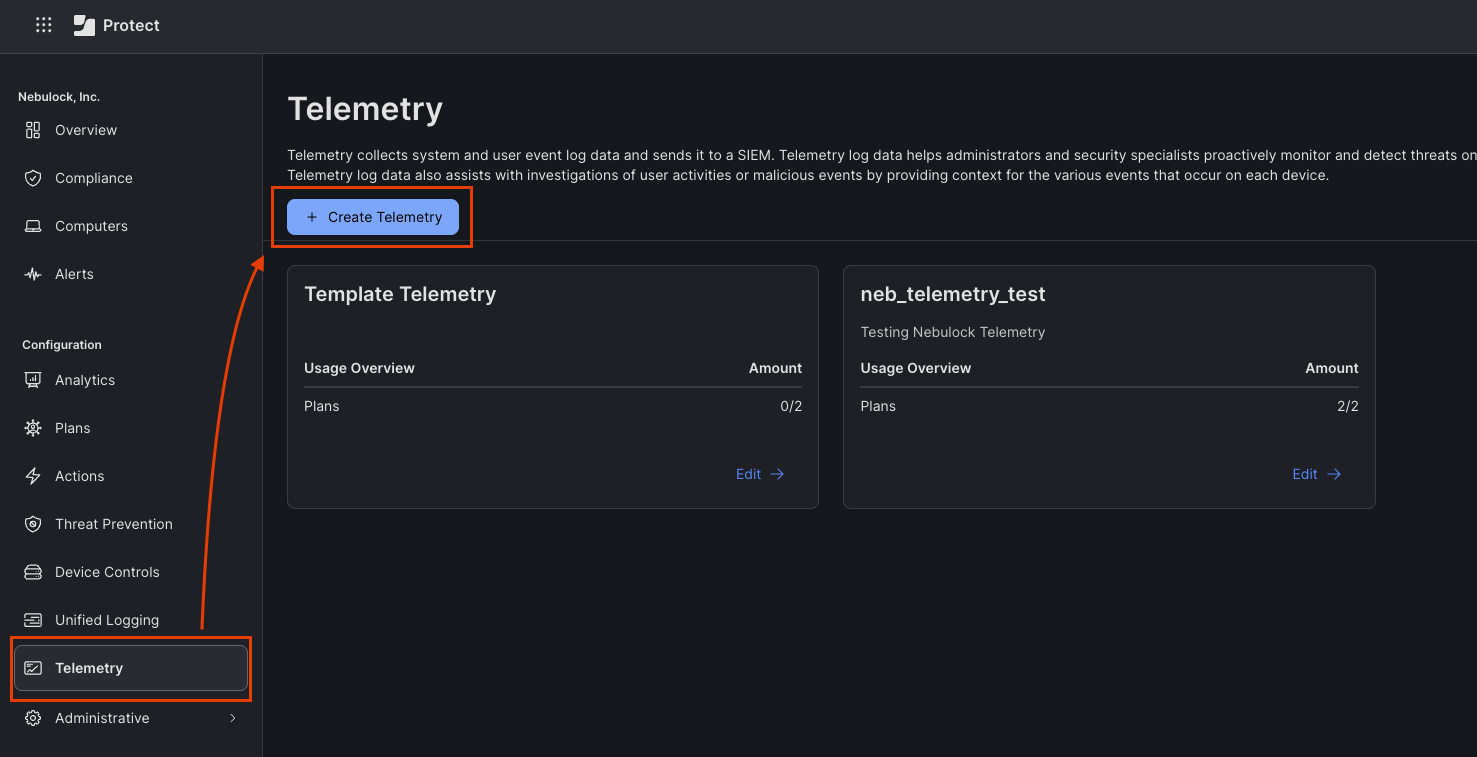
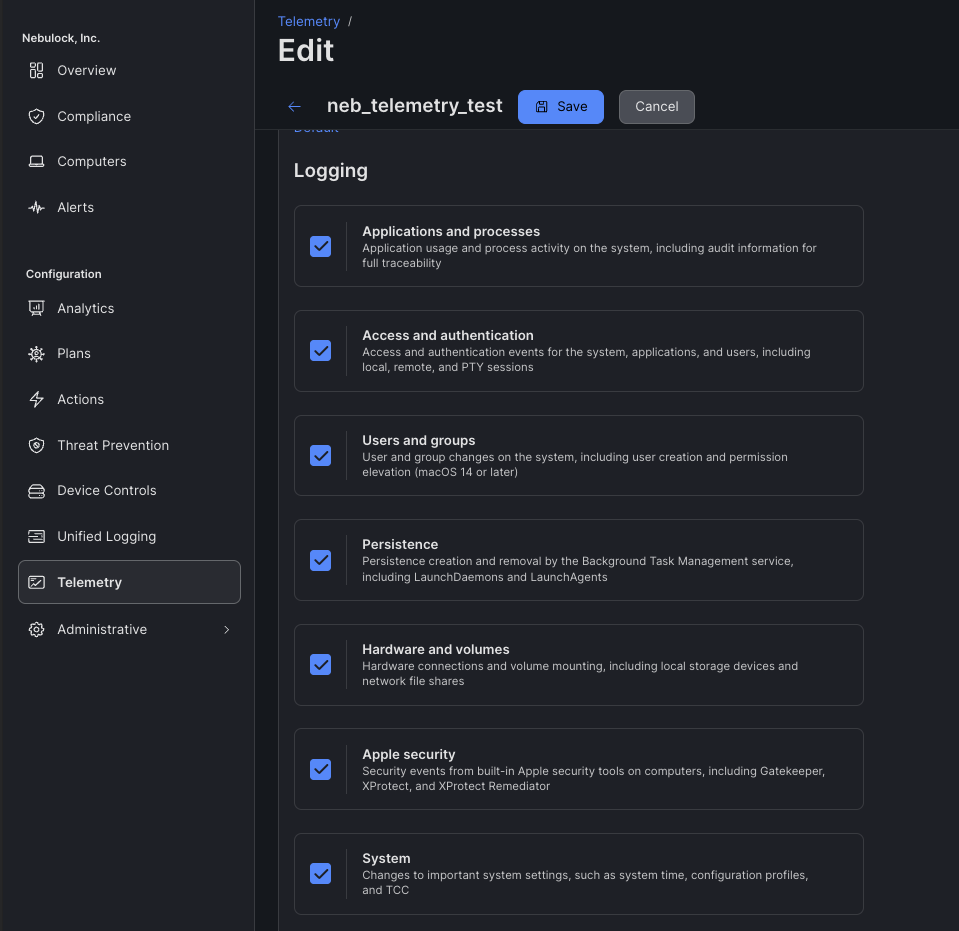
Give the Telemetry Configuration a name, e.g., nebulock-jamf-telemetry, and a brief description. Then select ALL Logging options and Save.
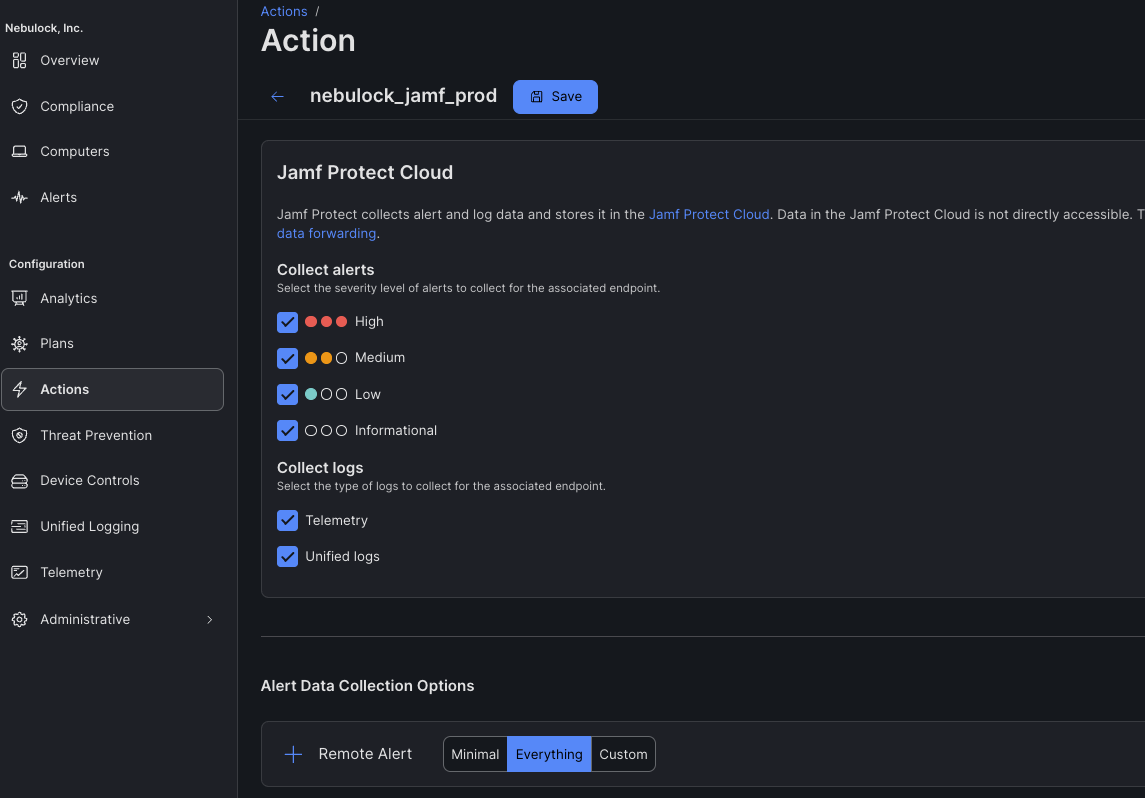
If an Action Configuration does not yet exist to collect alert and log data for Jamf Protect Cloud storage, select Create Action and configure the following:
- Name
- Description
- Jamf Protect Cloud:
- Collect alerts: High to Informational
- Collect logs: Select Telemetry and Unified logs (Please note: Nebulock does not have a core set of Unified Logging Predicates, but may request adding some in the future.)
- Alert Data Collection Options: Minimal or Everything (preferred)
Next, an existing Plan will need to be added (or a new one configured) so that endpoints with the Jamf Protect agent will forward the telemetry to S3/Nebulock via Jamf Protect Cloud.
- Select Plans from the side-menu
- Create a new plan or edit existing plan
- Ensure Telemetry is configured by selecting the correct configurations in the drop-down list
Step 3: Connect Jamf Protect telemetry to Nebulock
In Jamf, navigate to Administrative → Data → Amazon S3:
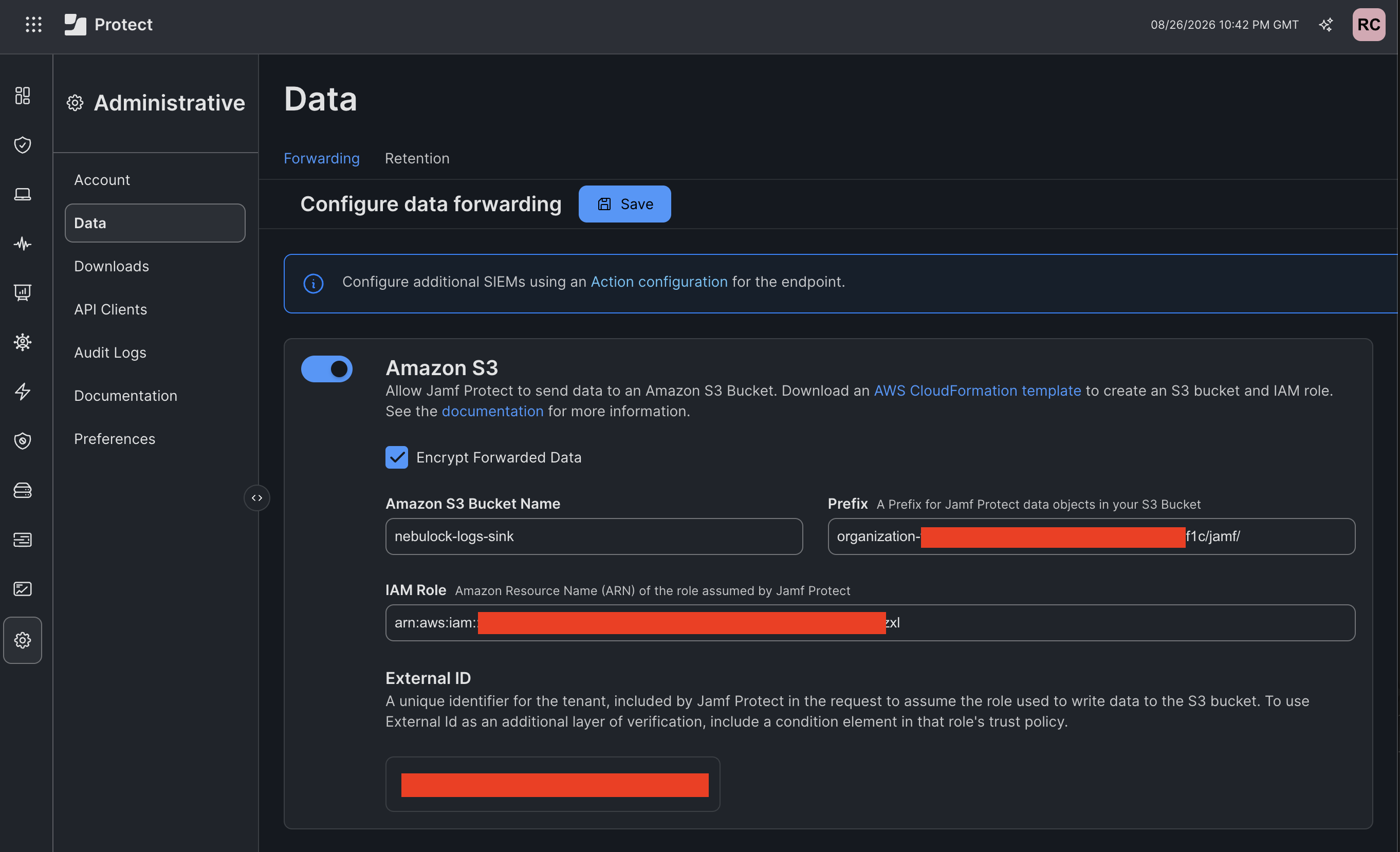
Fill out the details with the information below:
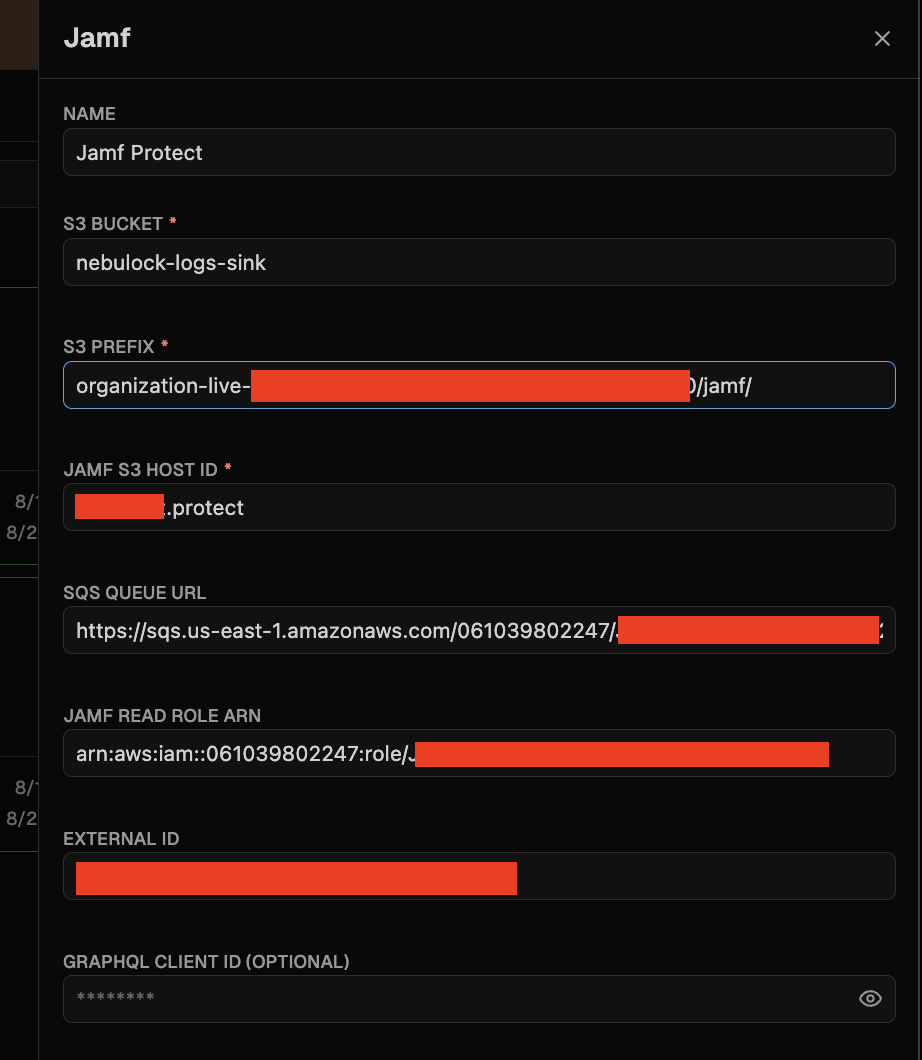
- Bucket Name: nebulock-logs-sink
- Prefix: <org_id>/jamf/ (e.g. organization-live-1234/jamf)
- IAM role: Provided in step 1
Step 4: Set Up Nebulock Integration
In Nebulock, navigate to Integrations > Available Integrations, select "Jamf" and fill out the fields with the data from Step 1
Host ID can be found in the JAMF portal in the url. Usually is <company_name>.protect
Updated about 2 months ago