
Virustotal
Connect Nebulock Helix to VirusTotal for just-in-time indicator enrichment.
Overview
The Virustotal integration enables the Nebulock agents to automatically query the reputation of file, IP, domain and URL indicators as part of a hunt or an investigation.
This integration requires a VirusTotal subscription. You can use the freely available public API account with this integration but you should note the limitations that apply to those accounts.
https://docs.virustotal.com/reference/public-vs-premium-api
Note: VirusTotal is being transitioned to Google Threat Intelligence (GTI).
Before you start
The steps below reference a premium account API key but a public API key can also be used.
Create a Service Account
In the Virus Total GTI admin portal, navigate to My Group to create a new Service Account.
Only users with the Admins group role can create Users or Service Accounts in the GTI portal.
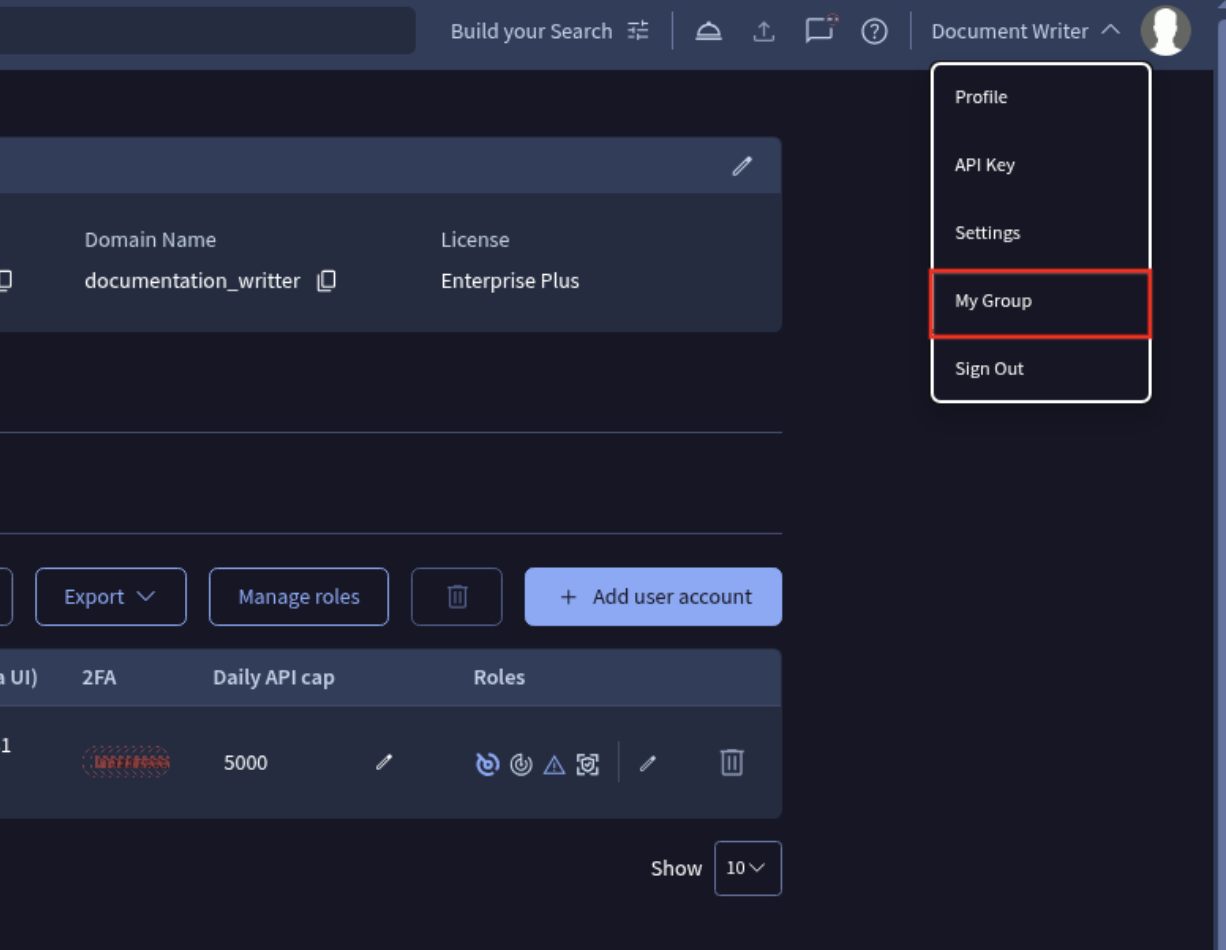
Create a new Service Account and copy the API key for the setup steps below. Also set a daily API cap on the service account.
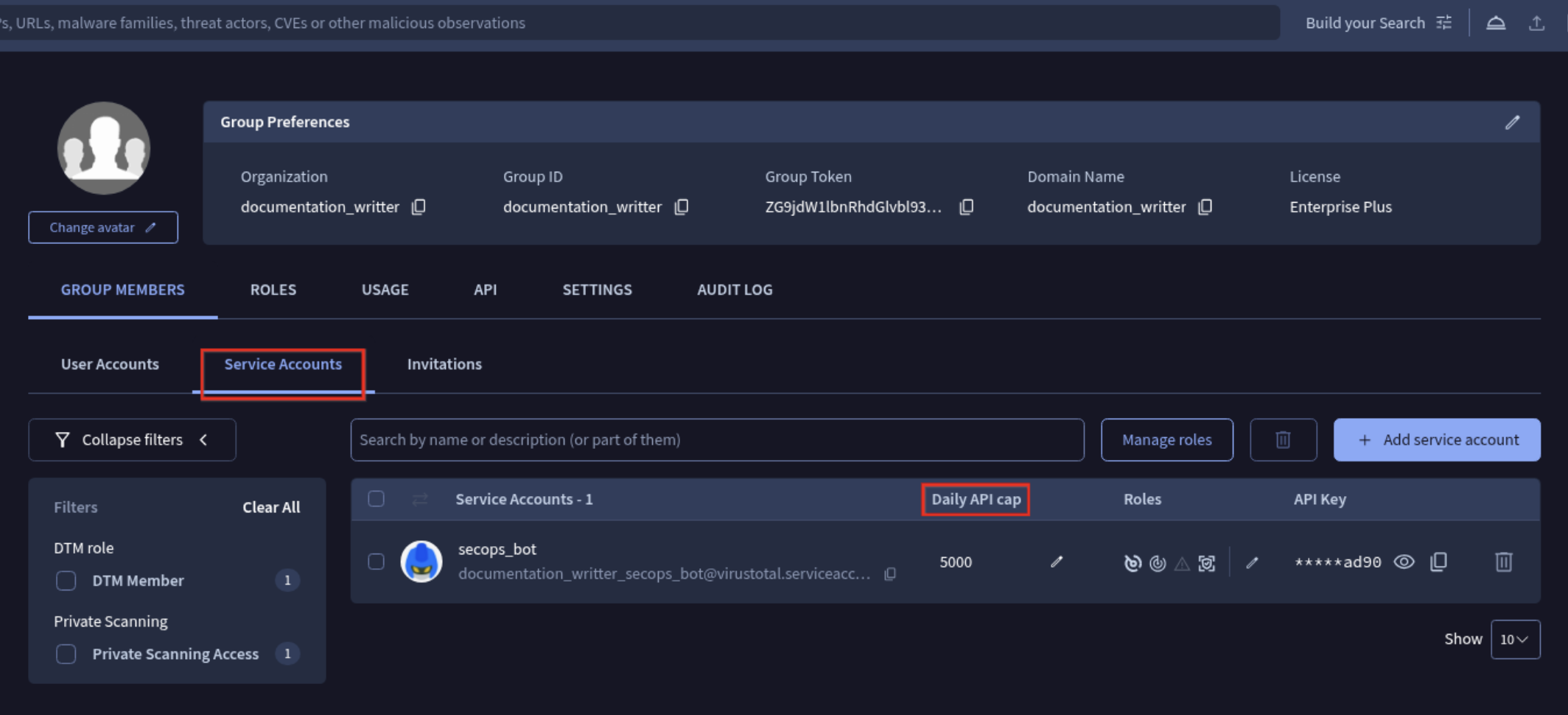
Refer to the GTI admin guide for more details.
Setup Instructions
Enable the integration in Nebulock
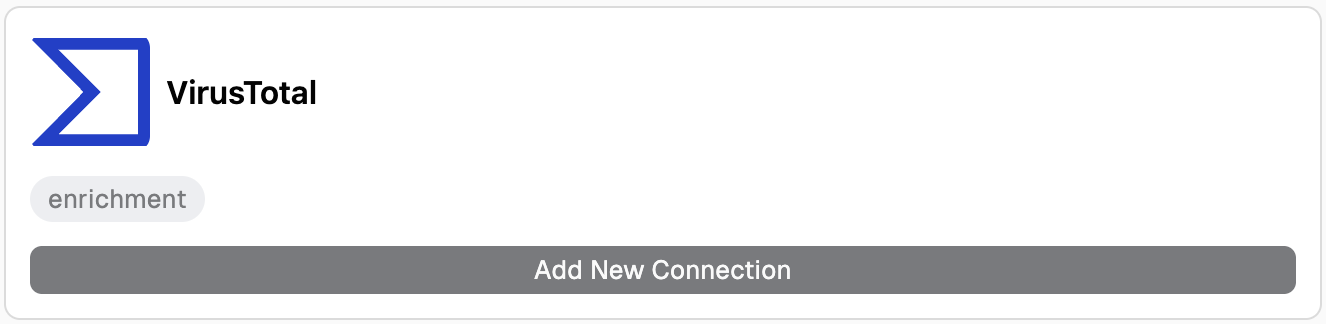
In the Nebulock portal, navigate to Integrations > Available Integrations, click Add New Connection on the Virustotal tile.
Fill in a configuration Name and the API Key from the information collected from the VirusTotal portal.
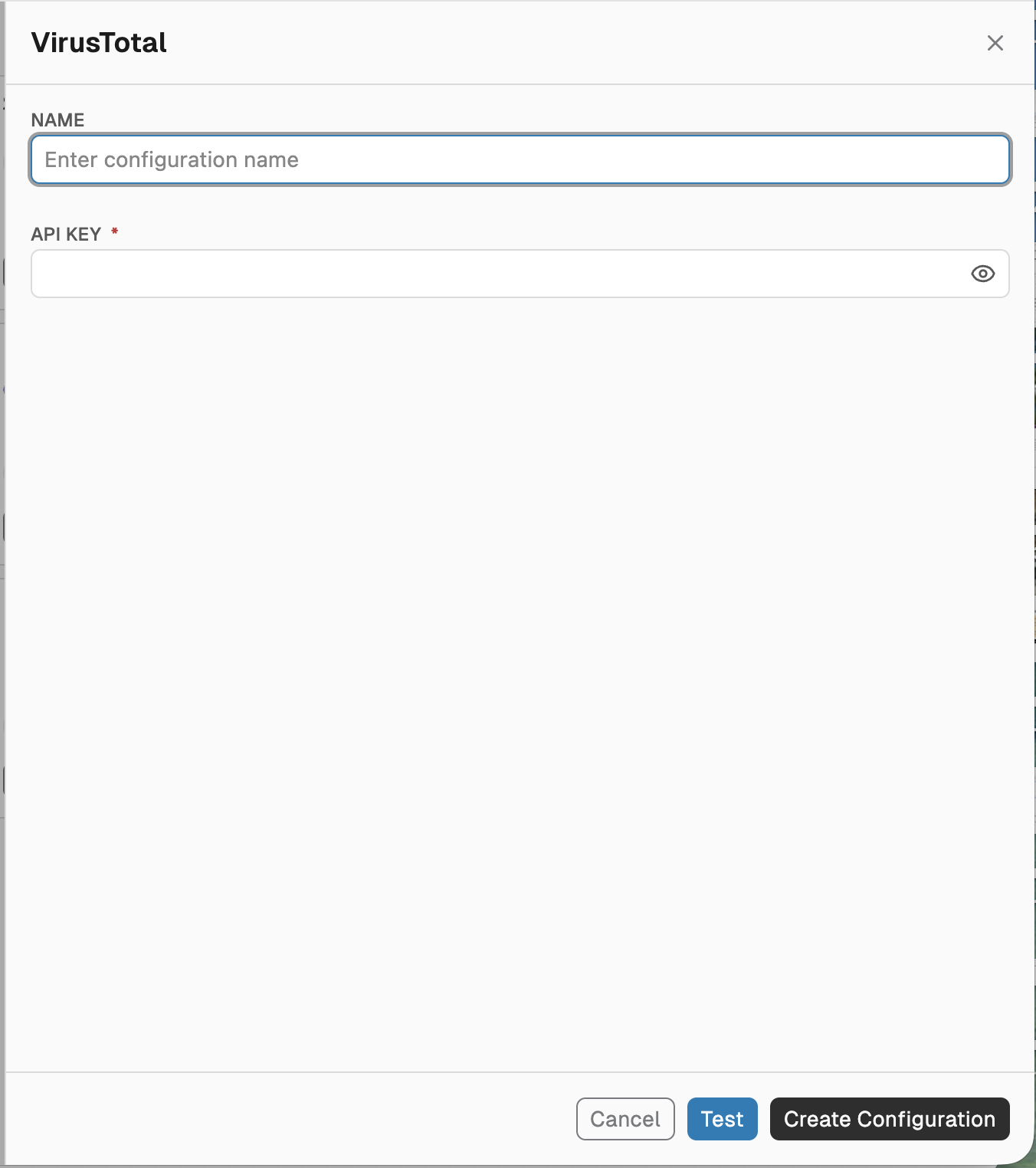
Click Create Configuration.
Test your connection
Click Test in the form to check the values before saving, or later choose Test from the integration tile action menu on the Integrations page. For a saved integration, the latest test result is shown in the integration tile, and the check also runs automatically once a day.
See it in action
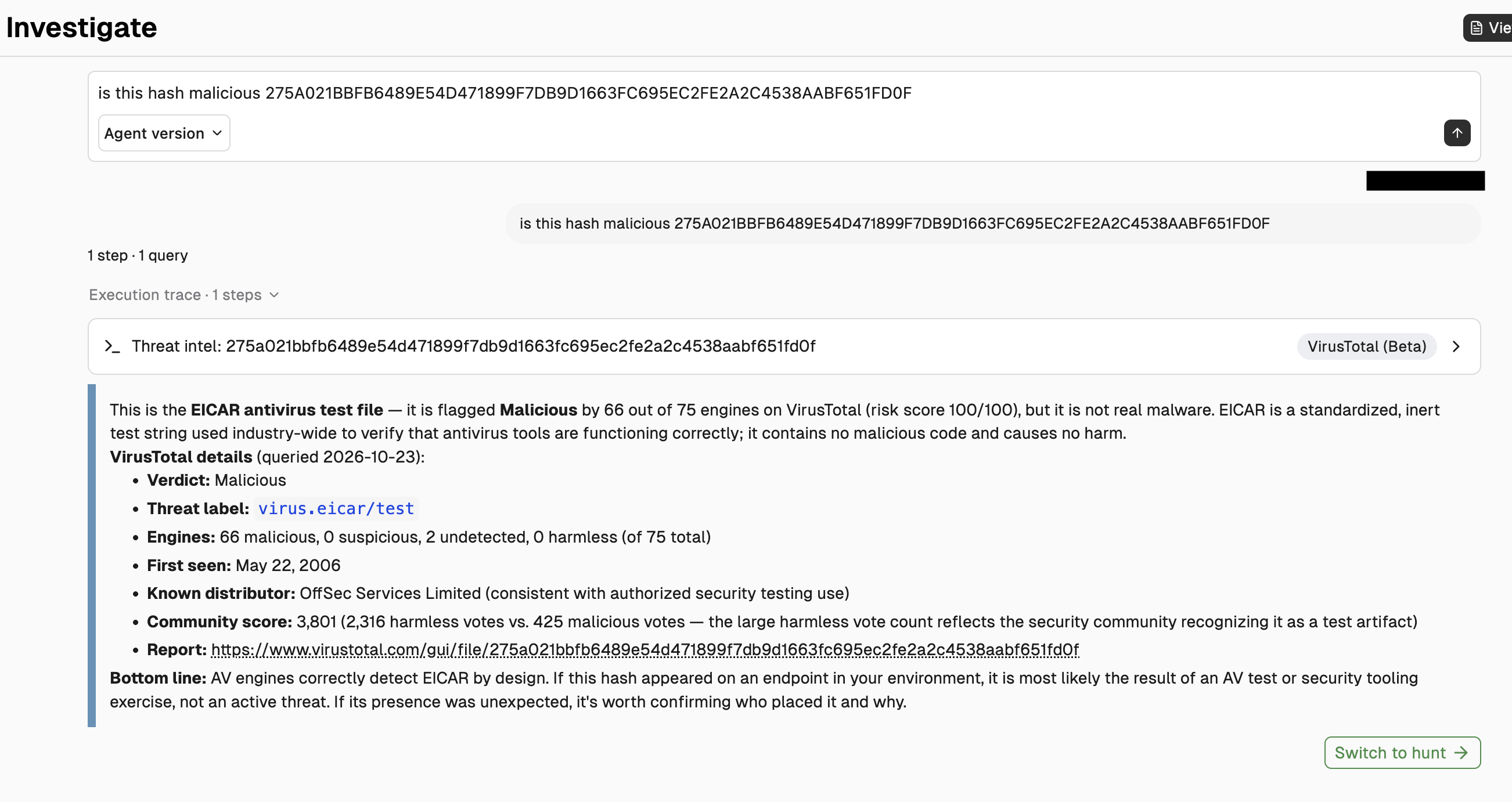
In the Nebulock portal, navigate to Investigate > Investigate and try the following question:
is this hash malicious 275A021BBFB6489E54D471899F7DB9D1663FC695EC2FE2A2C4538AABF651FD0F
Updated 1 day ago